Creator tools
Turn Text Into an Instagram Carousel Without Design Skills
Trender · Updated
The easiest way to turn text into an Instagram carousel is to paste it into Trender AI, an iPhone app that builds the slides from your own words. It is made for creators, coaches, small-business owners and social media managers who have something to say and no design skills. You paste your text, add photos if you want them and choose a design. Trender builds a designed carousel of up to 20 slides with every word kept, and the first three generations are free.
Starting from text is easier than starting from a blank design canvas because the hard part is already done. You know what you want to say. What you lack is the layout, the type sizes and the decision about where one slide ends and the next begins. Trender makes those decisions from your words, so you spend your time on the message instead of the tool.
What you need
- Text you already wrote. A post, a note, a newsletter paragraph or a short story all work.
- Photos, if you want them. They are optional. You can add up to 20 from your photo library.
- An iPhone. The steps below happen in the Trender AI app.
How to turn text into a carousel, step by step
- Open the carousel screen. On the home screen, tap the "Carousel" card ("Turn an idea into designed slides"). It opens "Create a carousel" with three steps across the top: "Text", "Photos" and "Design".
- Paste your text. Under the heading "Add text or an idea." tap the field, which reads "Paste a post, a note or a story…", and paste. Leave the default, "Design my text", selected. Then tap "Next: photos".
- Add your photos. On "Add your photos" pick images from your library. If you have none, tap "Continue without photos".
- Choose a design. On "Choose your design" tap a card, tap "Try my text" to see a preview built from your own content, then tap "Open editor".
- Export. In the editor tap "Export", then "Download all slides". The slides save to your Photos library as PNG images, and you can "Share" them or "View in Photos". Saving to Photos is part of PRO.
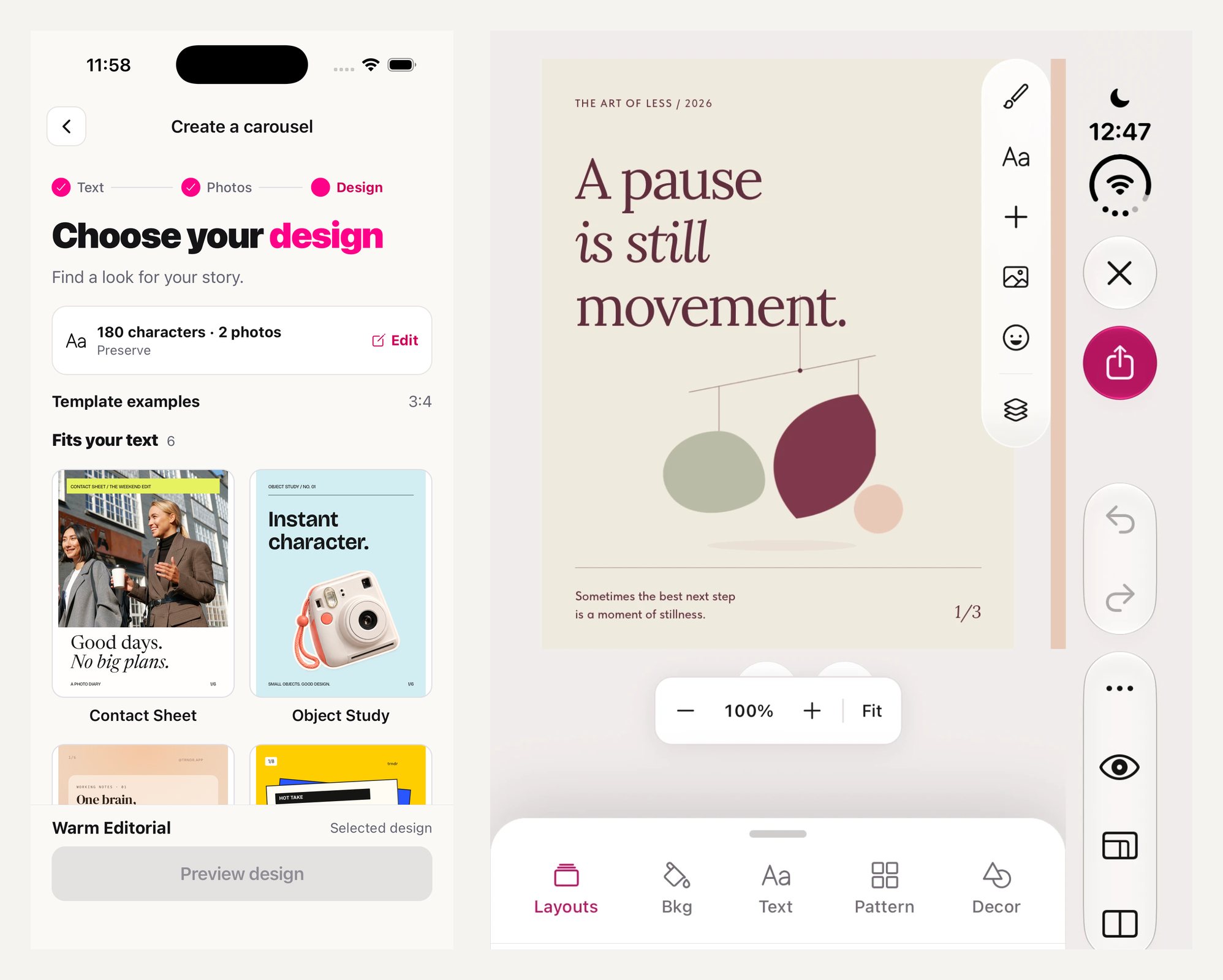
The "Text" step also has a few settings you can leave alone. "Slide count" is "Auto" by default, or you can choose a count of up to 20. "Settings" holds the aspect ratio (3:4, 4:5, 9:16, 1:1 or 3:2), "Add logo and signature", the language and "Text per slide".
How Trender splits your text into slides
The split follows the shape of your writing. Trender divides the text by lines and paragraphs. The AI only labels each piece as a heading, a paragraph or a list item. It does not rewrite your words.
Cuts fall on whole sentences and whole list rows. Trender measures them against the real layout of the design you chose, so a slide ends where the text actually stops fitting. A carousel can have up to 20 slides, which is also the most Instagram accepts.
You can also decide where slides break. A line that contains only three hyphens (---) forces a new slide. So does a label such as "Slide 2:". Use either one when you want a specific sentence to open its own slide.
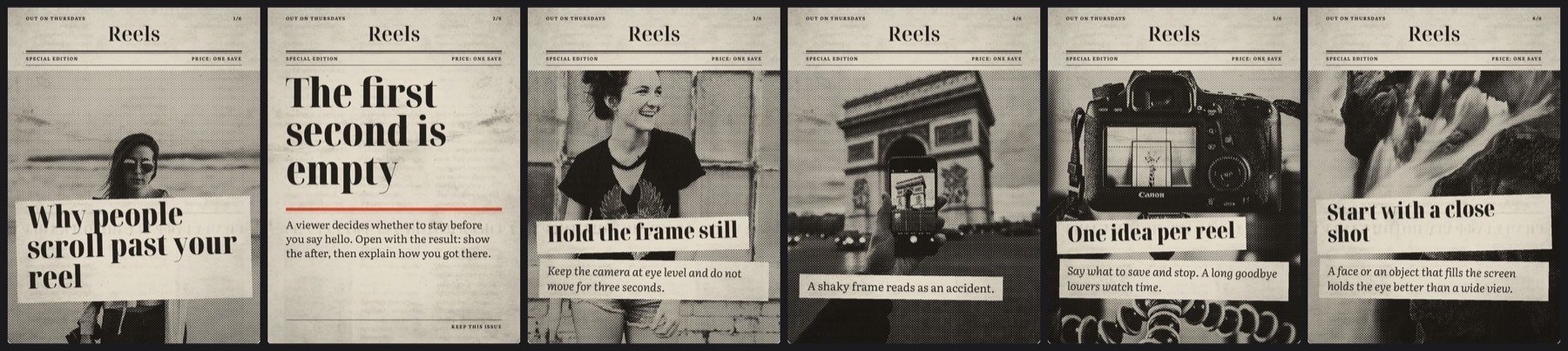
Pick a design by how much text you have
On "Choose your design" the designs that fit your text and photos are listed first, under "Fits your text". You can also narrow the list with the filter chips: "All", "New", "Animated", "Long reads", "Lists", "Short thoughts", "Photo stories" and "Photo + text". Here is when each type fits.
| Design type | When it fits |
|---|---|
| Long reads | Posts with several paragraphs |
| Lists | Numbered or bulleted items |
| Short thoughts | A few lines per slide |
| Photo stories | Mostly photos and little text |
| Photo + text | Photos with a paragraph each |
| Animated | Moving slides exported as video. These designs do not take your own photos. |
Photos work in two ways depending on the design. Some designs place them in frames. Others use the photo as the slide background. Your photos stay in the order you set. To change the order, hold a photo and drag it. You can also remove any photo you added.
If the first design is not right, tap "Change design" to try another look with the same text and photos. "Make another version" also keeps your text and photos.
If you want the text improved, not only designed
"Design my text" is the default because it keeps every word and has the AI identify sections and individual items. Under the text field you can pick another option instead.
- "Improve my text": the AI rewrites for clarity while keeping your meaning and facts.
- "Shorten my text": the AI makes it shorter while keeping the key points. It needs at least 150 characters.
- "Write from an idea": the AI develops a topic into finished carousel copy.
The options work with different text lengths. "Design my text" accepts up to 100,000 characters. The three AI options accept up to 10,000.
What you can still change
Opening the editor does not lock anything in. You can undo and redo any change. The tabs along the bottom are "Layouts", "Bkg", "Text", "Pattern" and "Decor".
- Text: change the fonts, the font size and the text itself, plus the accent and highlight colors.
- Photos: reposition, replace or remove a photo.
- Slides: move, add and delete slides.
- Brand: add your brand name and icon.
When you are done, "Export" offers "Download all slides" or "Download this slide" for a single image. At 3:4 each slide is 3240 × 4320 pixels.
Why this is easier than a design tool
A general design tool such as Canva starts you on a blank canvas or a large template library. Every layout decision is then yours. You choose the template, fit your words into it and adjust the sizes until the text fits.
Trender starts from your words instead. It offers dozens of ready-made designs, sorted by how much text you have, so you choose a look and do not build one. It also divides the text into slides for you, whether you pasted three lines or three pages. If you want to see how Trender sits next to other tools, read our comparison of seven carousel makers.
What is free and what needs PRO
You get three free generations, and each carousel you build uses one, including a carousel built with "Design my text". Editing is free. Saving the slides to your Photos library is part of PRO.
Common questions
Does Trender rewrite my text?
Not by default. With "Design my text", Trender AI keeps every word and only labels each piece as a heading, a paragraph or a list item. It rewrites only if you choose "Improve my text", "Shorten my text" or "Write from an idea".
How long can my text be?
In Trender AI, "Design my text" accepts up to 100,000 characters. The AI options accept up to 10,000 characters, and a carousel has up to 20 slides.
Do I need photos?
No. Trender AI builds a carousel from text alone, and the button on the photos step then reads "Continue without photos". If you do add photos, you can add up to 20 and set their order.
Can I do this on a computer?
Yes. In the Trender Workshop at trndr.app you can paste your text and click "Create a designed carousel" to lay it out as written. The web Workshop has a free plan with three generations and no credit card, and you can open the Workshop here.
What size are the exported slides?
Trender AI exports PNG images. At the 3:4 aspect ratio each slide is 3240 × 4320 pixels, and you can choose 4:5, 9:16, 1:1 or 3:2 in "Settings" instead.
Once your first carousel is built, read how to make a carousel that gets swipes and the Instagram carousel size guide.