Question page
Instagram Carousel Templates: How to Choose and Use Them
Ryze AI · Updated
Instagram carousel templates work when the structure matches the job: teach, persuade, or entertain, in that order of priority for 2026 feeds. The template itself is just scaffolding — the hook on slide one and the payoff on the last slide decide whether anyone finishes swiping.
- Pick Instagram carousel templates by job-to-be-done: educational, before/after, or listicle, not by how they look in a gallery.
- Slide one carries 80% of the swipe decision — templates that bury the hook on slide two underperform in 2026.
- Generic design templates (Canva, Figma) handle layout; they don't generate the hook or the ten-slide structure itself.
- Trender builds carousels from a note, thesis, or a proven Reel link, then applies design templates on top of that structure.
- Match template length to intent: 6-8 slides for reach, 10+ slides for saves and authority content.
Why this matters
Most people searching "instagram carousel templates" land on a design file — a Canva grid with placeholder text — and then stare at a blank slide two wondering what to actually say. The design layer was never the hard part. The hard part is structuring a carousel that gets swipes instead of one that gets scrolled past after slide one.
A template that looks polished but opens with a weak hook loses to a plain-text template with a sharp first line, every time. That's the distinction worth making before you pick anything.
Instagram Carousel Templates: How to Choose the Right One
Start from the goal, not the aesthetic. Here's how the three most common carousel formats compare on what they're actually built to do:
| Template type | Slide count | Best for | Watch out for |
|---|---|---|---|
| Educational / how-to | 8-12 | Authority building, saves | Slide 1 must state the outcome, not the topic |
| Before/after or story arc | 6-9 | Engagement, comments | Needs a real contrast — vague "transformation" claims read as filler |
| Listicle | 7-10 | Reach, shares | Weakest slide sinks the whole carousel — order matters |
Educational templates win for niche authority; listicle templates win for reach. If you only have time to build one, pick based on whether you need followers to trust you or followers to find you.
Educational carousel templates: best for topical authority
Educational carousels teach one thing per slide, building toward a takeaway the reader can screenshot. The template needs a clear promise on slide one ("5 mistakes killing your open rate") and a recap slide at the end — that recap is what drives saves, and saves are what the algorithm weighs into 2026 distribution.
Verdict: use for niche credibility content. Skip if your goal is pure reach — educational carousels save well but share less than listicles.
Before/after and story-arc templates: best for engagement
This format works by setting up tension on slide one or two and resolving it by the last slide. It only works when the contrast is specific — a real before-state and a real after-state, not a generalized claim. Comments spike when readers see themselves in the "before" slide.
Verdict: use when you have a concrete result or transformation to show. Skip if the story is vague — a soft template can't fix a soft story.
Listicle carousel templates: best for reach and shares
Listicles front-load value across every slide instead of building to one payoff, which makes them easy to share individually — a reader can screenshot slide 4 without needing slides 1-3 for context. The tradeoff is depth: listicles rarely build the kind of authority an educational carousel does.
Verdict: use for top-of-funnel reach and shareability. Skip for positioning content where you need to be seen as the expert, not just visible.
Why the right template varies by account
There's no single "best" Instagram carousel template — the right pick depends on a handful of factors specific to the account posting it.
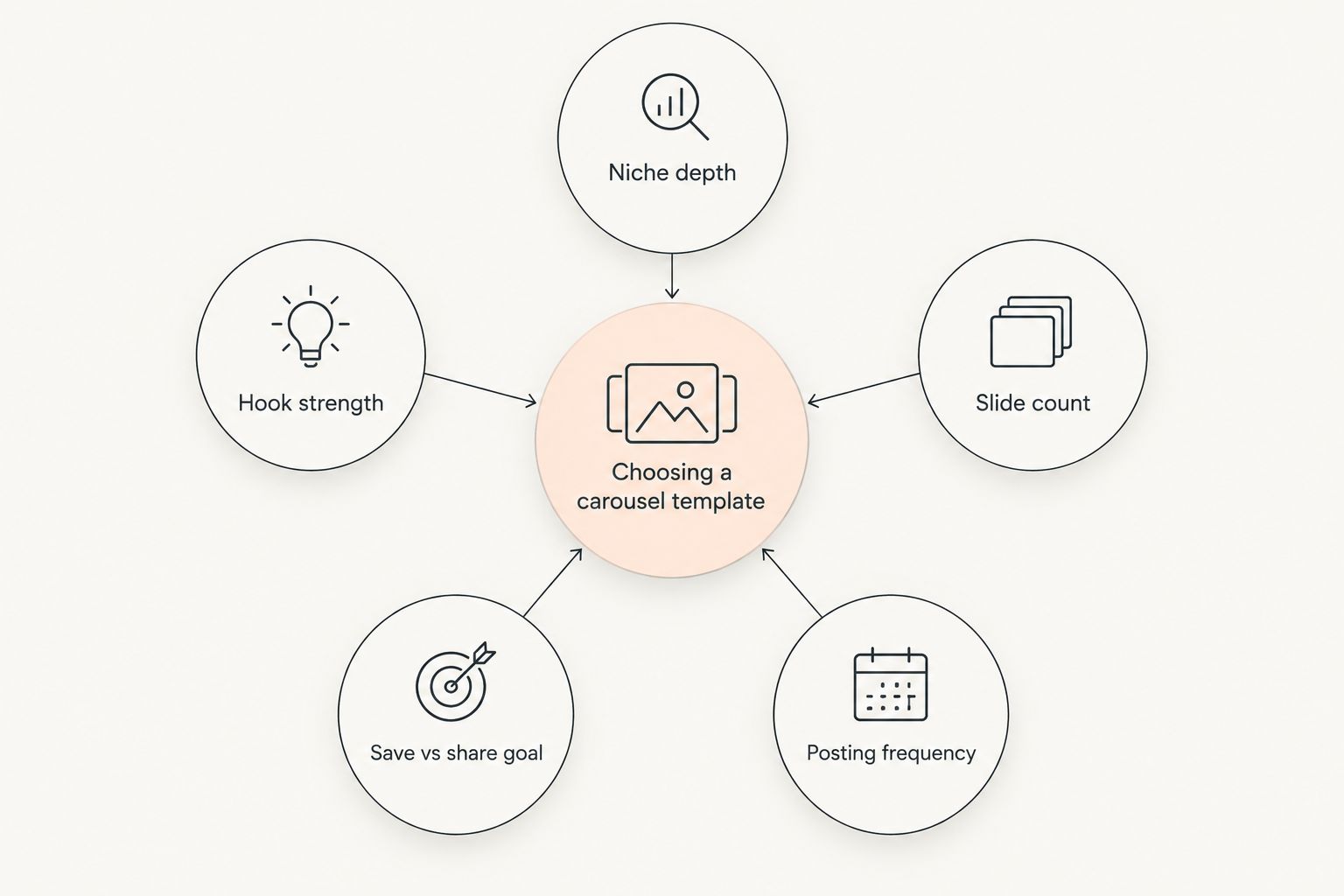
- Niche depth — technical or B2B niches lean educational; lifestyle and consumer niches lean listicle or story-arc.
- Hook strength on slide one — a strong hook can carry a thinner template; a weak hook sinks even a well-designed one.
- Slide count vs. attention span — shorter carousels (6-8 slides) suit fast-scroll audiences; longer ones (10+) suit audiences already following for depth.
- Save vs. share goal — saves favor educational structure, shares favor listicle structure.
- Posting frequency — accounts posting carousels weekly need a repeatable template they can refill fast, not a one-off design.
- Performance history — reviewing which past carousels actually held swipe-through, via analyzing Reels and carousel metrics, tells you which format your specific audience rewards.
If a template requires you to write the hook from scratch every time, it's a design file, not a content system. That's the gap between a Canva grid and a tool that turns a rough note or thesis into the full ten-slide structure with the hook already built in.
Trender approaches this from the structure side first — it's trained on over 1 million high-performing Reels and carousels, so the template it generates already reflects what held swipes in 2026, not a generic layout from a stock design pack. Design templates then sit on top of that structure rather than replacing it.
Skip the blank slide two
Turn a note or a proven Reel into a full carousel structure, free to start.
Related questions
How many slides should an Instagram carousel have in 2026?
Most carousels perform best at 6-10 slides in 2026 — under 6 rarely earns a save, and over 12 needs a strong enough hook to justify the extra swipes. Match count to format: listicles run shorter, educational carousels run longer.
Do carousel templates work the same for SaaS accounts as for creators?
No — SaaS and B2B accounts need more educational-format carousels and fewer story-arc ones, since the audience is evaluating credibility, not looking for entertainment. A full breakdown of format mix lives in social media content strategy for SaaS founders.
Should I build a carousel from a Reel that already worked?
Yes — adapting a Reel that already proved its hook and structure into a carousel is faster than starting blank, since the hard part (does this angle land) is already validated. If the source is a script rather than a carousel, tools built for AI Reels script generation can produce the adaptable script first.
FAQ
What's the best Instagram carousel template for beginners in 2026?
An educational template with 8 slides is the safest starting point in 2026 — it forces a clear promise on slide one and a recap on the last slide, which is easier to get right than a story-arc format. Start narrow on one topic per carousel.
Do Instagram carousels still perform well in 2026?
Carousels remain one of the highest-save formats on Instagram in 2026, particularly for educational and listicle content. Reach depends more on the hook and niche fit than the format itself.
How many slides should an Instagram carousel have?
Most carousels run 6-10 slides. Listicles trend shorter for shareability; educational carousels run longer to build a full argument before the recap slide.
Are Canva carousel templates good enough on their own?
Canva templates handle layout and design, not the hook or slide-by-slide structure — you still need to write what goes on each slide before the design matters. Pair a design template with a structure built from what already works in your niche.
How do I know if my carousel hook is working?
Check swipe-through rate from slide one to slide two — a steep drop there means the hook isn't earning the next swipe, regardless of how good later slides are. Reviewing past post metrics is the fastest way to isolate which hooks held attention.
Is a before/after template better than a listicle?
Neither is universally better — before/after templates drive comments and engagement when the contrast is specific, while listicles drive shares and reach. Pick based on whether you need engagement or distribution right now.
Can I turn a successful Reel into a carousel template?
Yes, adapting a Reel's proven hook and structure into carousel format is a reliable shortcut, since the angle is already validated by performance. The carousel version just needs the argument broken into slides instead of spoken beats.
Does Trender replace design tools like Canva?
No — Trender generates the carousel structure, hooks, and slide content, then works alongside carousel design templates for the visual layer. The two jobs (what to say, how it looks) stay separate but both get covered.
One last thing
The slide people actually screenshot is rarely slide one — it's whichever slide states the specific number, step, or claim most concretely. Build every carousel template around getting to that slide fast instead of warming up for three slides first; 2026 feeds don't reward warm-ups.