Question page
Instagram Carousel Size: Complete 2026 Guide
Ryze AI · Updated
Instagram carousel size in 2026 is 1080 x 1350 pixels for portrait posts, a 4:5 ratio that fills the most screen space in the feed. Square (1080 x 1080, 1:1) and landscape (1080 x 566, 1.91:1) are also accepted, but portrait wins on scroll-stopping real estate. The catch nobody mentions upfront: every slide inside one carousel must share the same aspect ratio, so mixing a square cover with portrait slides gets the whole post cropped down to the smallest ratio in the set.
- Instagram carousel size for 2026: 1080 x 1350 px (4:5) is the recommended portrait dimension.
- Square (1080 x 1080) and landscape (1080 x 566) are supported but use less feed space than portrait.
- Every slide in a carousel must match aspect ratio or the whole post gets cropped to the smallest one.
- Instagram carousels hold up to 20 images or videos per post as of 2026.
- Trender exports carousel designs at the correct dimensions so sizing errors don't happen at upload.
Why this matters
Get the size wrong and Instagram doesn't reject the upload — it just crops your carousel into something you didn't design. A portrait 4:5 slide dropped next to a square 1:1 slide gets squeezed down to whichever ratio is smallest, which usually means your carefully designed cover loses its top and bottom. That's the single most common carousel mistake in 2026: designers export slides from three different templates and never check that the ratios match before posting.
Getting the dimensions right the first time also matters for content strategy — a carousel that looks cropped or inconsistent reads as low-effort even if the content inside it is strong.
What size should an Instagram carousel be?
The short answer: pick one ratio and use it on every slide. Here's how the three supported formats compare in 2026.
| Format | Dimensions | Ratio | Best for |
|---|---|---|---|
| Portrait | 1080 x 1350 px | 4:5 | Tutorials, storytelling, maximizing feed space |
| Square | 1080 x 1080 px | 1:1 | Grid consistency, cross-posting from other tools |
| Landscape | 1080 x 566 px | 1.91:1 | Screenshots, before/after, wide comparisons |
Portrait (4:5) is the default recommendation for most carousels in 2026 because it occupies more vertical space in a mobile feed than square or landscape, which means more of your design is visible before a viewer decides to swipe or scroll past.
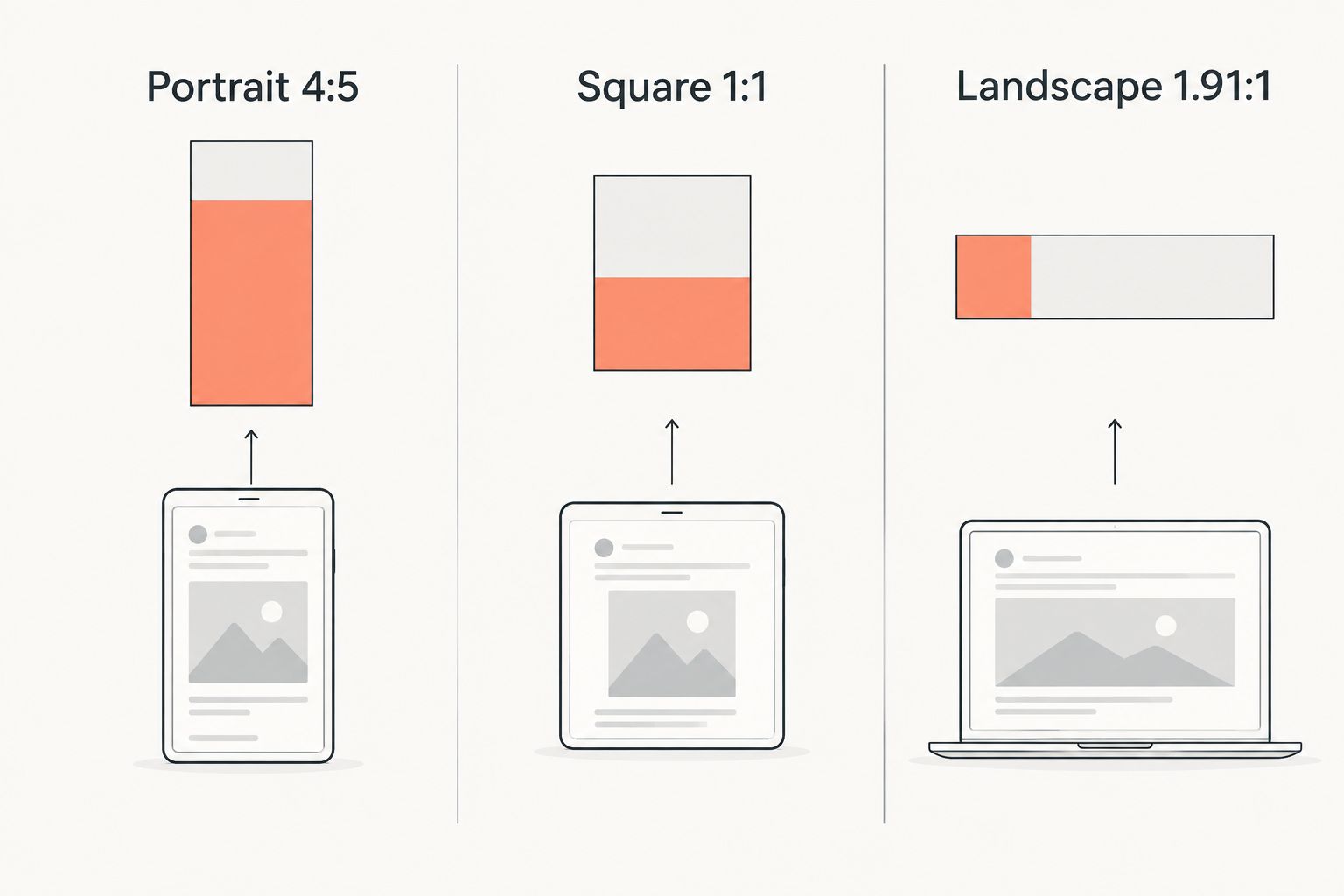
Portrait carousel: 1080 x 1350 px (4:5)
This is the size most creators default to in 2026 because it stretches further down the feed than a square post, giving text overlays and product shots more room. Use it for step-by-step carousels, hook-driven storytelling, and anything where you want the reader locked in past the first slide.
Square carousel: 1080 x 1080 px (1:1)
Square still works and is the safest choice when you're repurposing designs built for a grid-based template or pulling content that originated somewhere other than Instagram. It uses less feed space than portrait, so it's a weaker default in 2026 unless brand consistency requires it.
Landscape carousel: 1080 x 566 px (1.91:1)
Landscape is the least common of the three and works best for wide comparisons, screenshots, or side-by-side before/after shots where a tall crop would cut off important detail. It uses the least vertical space, so it's rarely the right choice for hook-first content meant to stop a scroll.
Why Instagram carousel size varies by use case
- Aspect ratio choice changes feed real estate — portrait shows more of your design per slide than square or landscape.
- Design tool defaults differ — Canva, Figma, and other export presets don't all default to 1080 x 1350, so files pulled from different tools often mismatch.
- Repurposed content carries its original ratio — a screenshot from TikTok or a Story frame won't match a feed-native carousel unless it's resized first.
- Cover slide decisions matter more than inner slides — the first slide is what shows in the grid and in the feed preview, so its crop behavior gets scrutinized more than slide 6 or 7.
- Mixing photos and video in one post requires both media types to share the same ratio, which trips up carousels that combine a photo cover with a video demo slide.
- Slide count and file limits shape how many assets creators try to cram into one post, which increases the odds of an inconsistent ratio slipping through.
Building a carousel that actually gets swipes starts with locking the ratio before you design a single slide, not fixing it after export.
Related questions
How many slides can an Instagram carousel have?
An Instagram carousel can hold up to 20 images or videos per post as of 2026, up from the original 10-slide limit. Most high-performing carousels still run 6-10 slides — more than that and swipe-through completion tends to drop before the last card.
What file size and format does Instagram require for carousels?
Instagram accepts JPG and PNG for image slides and MP4 or MOV for video slides within a carousel, with video slides capped around 60 seconds each. File size caps sit around 30MB for images and up to 4GB for video, so oversized exports from design tools are the more common failure point than the format itself.
Can you mix photos and videos in one carousel?
Yes, a single Instagram carousel can combine photo and video slides in any order in 2026, as long as every slide shares the same aspect ratio. A video slide cropped to a different ratio than the surrounding photos will still get forced into the smallest common size, same as a photo mismatch would.
One place this shows up constantly: teams build a hook on slide one, then hand slide two through ten to someone using a different template. Trender keeps every slide in a carousel export locked to the same dimensions, because the design templates and the carousel creation workflow through MCP both start from one ratio choice instead of stitching together files from different sources.
Design a carousel in the right size
Turn one idea into a designed, correctly-sized carousel with hooks built in.
FAQ
What is the best Instagram carousel size in 2026?
1080 x 1350 pixels (4:5 portrait) is the best Instagram carousel size in 2026 because it uses more vertical feed space than square or landscape. Square (1080 x 1080) and landscape (1080 x 566) are also accepted but show less of your design per slide.
Do all slides in a carousel need to be the same size?
Yes, every slide in one Instagram carousel needs to share the same aspect ratio in 2026. Mismatched ratios get cropped to the smallest ratio in the set, which usually cuts off part of your design.
Is square or portrait better for Instagram carousels?
Portrait (1080 x 1350, 4:5) is generally better than square (1080 x 1080, 1:1) because it occupies more vertical space in the feed. Square still works well for grid-consistent brands or content repurposed from other platforms.
How many images can you post in one Instagram carousel?
An Instagram carousel supports up to 20 images or videos per post as of 2026. Most creators use 6-10 slides since completion rates tend to fall off past that point.
What happens if my carousel slides are different sizes?
Instagram forces every slide in a mismatched carousel down to the smallest common aspect ratio in the set. That means a portrait slide next to a square slide loses its top and bottom in the crop.
Can Instagram carousels include video slides?
Yes, Instagram carousels can mix photo and video slides, with video slides capped around 60 seconds each in 2026. Video slides need to match the aspect ratio of the surrounding photo slides.
What's the ideal file size for Instagram carousel images?
Instagram accepts image files up to roughly 30MB and video files up to 4GB per slide in 2026. JPG and PNG are the standard formats for image slides, MP4 and MOV for video.
One last thing
Your grid thumbnail always crops to a square, even when you upload 1080 x 1350 portrait slides. Design your cover slide so the center square still reads correctly on its own — that's the version most people actually see first, before they ever tap into the carousel.