Integration guide
How to connect Trender to Notion for content planning
Ryze AI · Updated
Ideas pile up in Trender's Workshop faster than they get scheduled, and a content calendar that lives in your head is not a calendar. Instead of manually copying hooks into random notes apps or forgetting which draft already got recorded, build a Notion database that pulls directly from what Trender generates, so every script and carousel has a status the moment it's created.
- Connect Trender to Notion by building a table database with Status, Platform, Format and Publish date columns, then copying Workshop output into rows.
- Trender's Workshop generates 15+ hooks and five ready-to-post formats per idea in 2026 — pick winners before they hit Notion.
- Use Trender's MCP support to automate carousel delivery into Notion through Zapier or Make instead of copy-paste.
- Set Status as a Notion Select property (Draft, Ready to record, Scheduled, Posted) so the calendar doubles as a pipeline.
- Decide whether Trender or Notion is the master source before you scale past a few pieces a week — duplicates happen fast otherwise.
Why this matters
Most content workflows break at the handoff between research and scheduling, not at the writing stage. You generate a great hook in Trender, it sits in a browser tab for three days, and by the time you remember it the trend has moved on.
A Notion content calendar fixes the handoff, not the writing. Trender still does the research, hook generation, script writing and carousel design — Notion just holds the pipeline so nothing generated in 2026 disappears into a closed tab.
Before you start
- A Trender account with at least one generated batch sitting in Workshop — the free plan with no credit card covers this.
- A Notion workspace where you have permission to create a new database, not just edit an existing page.
- If you want automated delivery instead of copy-paste, an MCP-compatible client or an automation platform like Zapier or Make that can write to a Notion database.
The gotcha: Trender's MCP workflow outputs carousels one at a time — it does not maintain a two-way sync with Notion. Decide upfront whether Trender or Notion is your source of truth for a piece's latest version, or you'll end up with three copies of the same carousel by week three.
Build your Notion content calendar database
- In Notion, click + New page in the sidebar, choose Table, and name it something like "Content Calendar 2026."
- Add these columns as properties: Status, Platform, Format, Publish date, Hook.
- Set Status as a Select property with values Draft, Ready to record, Scheduled, Posted.
- Set Format as another Select property with the five options Trender produces: Reel script, Carousel, Telegram post, Thread, Long-form.
Expected result: an empty table with five properties, ready to receive one row per piece Trender generates.
Generate your batch in Trender Workshop
- Open Workshop and paste your idea, thesis, rough note, or a link to a high-performing Reel you want to adapt.
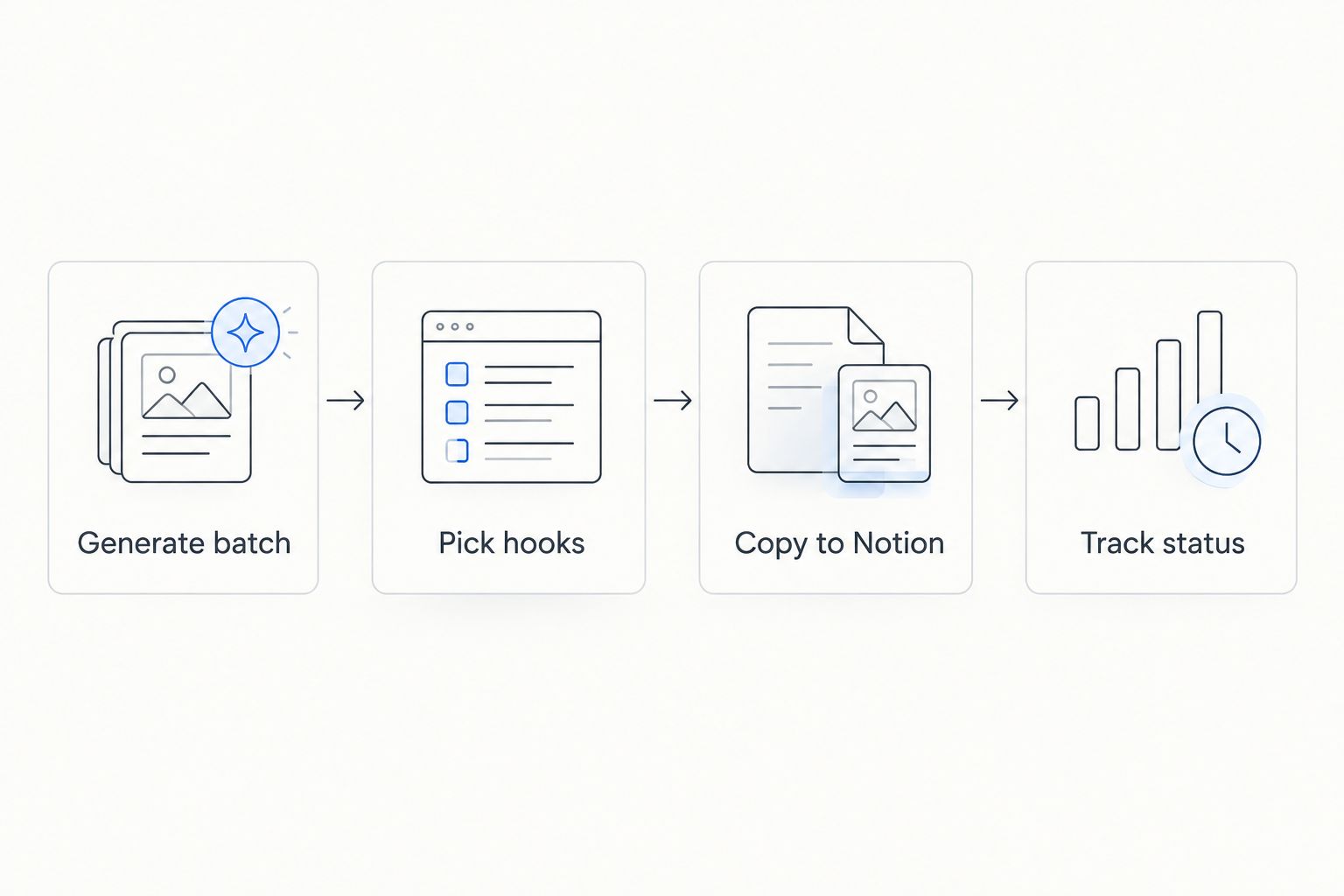
- Trender returns 15+ hooks along with five ready-to-post formats — Reel script, carousel, Telegram post, thread, and long-form draft — matched to your voice.
- Read through the hooks and mark the two or three you'd actually record or post this week.
Expected result: a batch of platform-ready drafts sitting in your Workshop history, ready to move.
Move the batch into Notion
- For each piece you're keeping, create a new row in your Notion table.
- Paste the winning hook into the Hook column and paste the full script or carousel copy into the row's page body.
- Set Format to match what Trender produced and set Status to Draft.
- Add a Publish date if you already know the week it's going out — leave it blank if not, and sort the table by Status instead.
Expected result: every piece from this Workshop session has a row, a status, and a place in the pipeline instead of sitting in a tab.
If you're building carousels specifically, the design conventions matter as much as the copy — how to build an Instagram carousel that gets swipes covers the layout choices Trender applies before the copy ever reaches Notion.
Automate delivery with MCP instead of copy-paste
Copy-paste works fine at two or three pieces a week. Past that, Trender's carousel creation through MCP removes the manual step for one specific format.
- Connect Trender's MCP endpoint to an MCP-compatible client or to an automation platform such as Zapier or Make.
- Configure the automation to trigger whenever a new carousel finishes generating through the MCP workflow.
- Map the carousel title to the Hook column and the format to the Format column in your Notion database.
Expected result: new carousels created through MCP land as Draft rows in Notion without you touching a copy-paste shortcut.
“If you can't say whether Trender or Notion holds the latest version of a piece, you don't have a content calendar, you have two half-finished ones.”
Troubleshooting
- Duplicate rows after re-running Workshop on the same idea. Trender doesn't track which drafts already made it into Notion — check Status before generating a second pass on an idea you've already exported.
- Carousel copy loses formatting when pasted into Notion. Paste as plain text (Cmd/Ctrl+Shift+V) and reapply bullets or bold using Notion's own formatting instead of the pasted markup.
- MCP automation stops delivering new carousels. Check the automation platform's connection status first — tokens on Zapier or Make connections expire silently and the MCP link doesn't throw a visible error on the Trender side.
- Hooks column gets crowded with 15+ options per idea. Keep only the winning hook in the property field and drop leftover hooks into a toggle inside the row's page body.
Customize your workflow
Once the base calendar runs, extend it instead of leaving it static. Add a Platform filter view so you see only Reels due this week versus carousels due next week, and add a linked view sorted by Publish date for a monthly look.
If you're a solo founder rather than an agency managing client accounts, pair this calendar with a plan that ties output to business goals rather than just volume — social media content strategy for SaaS founders in 2026 covers how to decide what belongs on the calendar in the first place, not just how to track it.
Once pieces move to Posted, don't let the row go cold. Feed the Reel back into Trender's analysis tools to see what worked before you generate the next batch — see how to analyze Instagram Reels metrics for the diagnosis steps.
FAQ
Does Trender have a native Notion integration?
Trender doesn't publish a one-click Notion sync — the standard path is copying Workshop output into a Notion database, or automating carousel delivery through Trender's MCP support paired with a platform like Zapier or Make.
What columns should a Trender content calendar have in Notion?
Start with Status, Platform, Format, Publish date and Hook as Select or text properties. This covers every format Trender generates — Reel script, carousel, Telegram post, thread and long-form — without extra setup.
Can I automate moving Trender carousels into Notion?
Yes, for carousels specifically. Trender supports carousel creation through MCP, which an automation platform can trigger to write new rows into a Notion database without manual copy-paste.
How many hooks does Trender generate per idea?
Trender returns 15+ hooks per idea or draft entered into Workshop, along with five ready-to-post formats matched to the user's style.
Is Trender's free plan enough to run a Notion content calendar workflow?
The free plan requires no credit card and covers generating batches in Workshop, which is the only Trender-side step this workflow needs before content moves to Notion.
What's the biggest mistake people make connecting Trender output to Notion?
Not deciding which tool is the source of truth for the latest version of a piece. Without that rule, re-running Workshop on the same idea creates duplicate rows fast.
Should agencies use one Notion calendar for all clients?
No — use a separate database per client with the same Status and Format structure, since mixing clients in one table makes the Platform filter unreliable once volume grows past a few pieces a week.
One last thing
The part people skip is setting Format as a Select property matched exactly to Trender's five outputs. Do that on day one and the calendar filters cleanly by Reel script versus carousel versus thread for the rest of 2026 — skip it and you're retyping tags into a messy text field six months in.