Integration guide
How to connect Trender to Canva for carousel design
Ryze AI · Updated
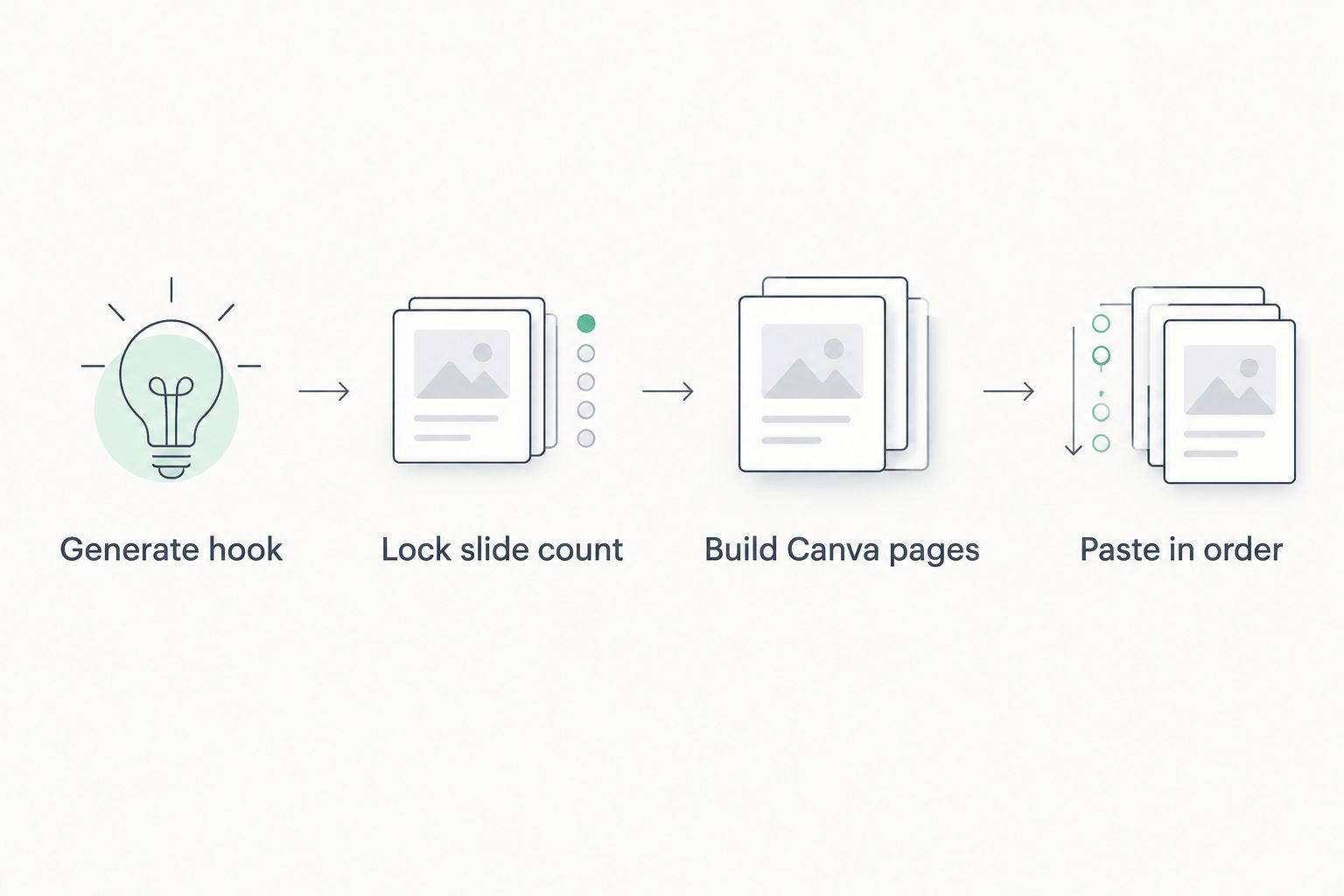
Trender does not push a finished design straight into Canva with one click — the real workflow is a copy-and-build handoff: generate the carousel hook and slide copy inside Trender's Workshop, then lay that copy into a Canva carousel template using the same slide order Trender already built. Skip that order and the hook stops matching the payoff.
- Connect Trender to Canva by generating carousel copy in Workshop, then pasting it into a matching Canva template.
- Trender's own carousel design templates skip Canva entirely if you want one tool for the whole job.
- Lock your Canva page count to Trender's slide count before you paste, or the argument breaks mid-carousel.
- Trender is trained on 1M+ high-performing Reels and carousels, so the copy already fits carousel pacing.
Why this matters
Canva is a design tool, not a content strategist. It will build you a beautiful carousel, but it has no opinion on what hook earns a swipe, how many slides carry the argument, or where the drop-off happens after you post. That's the gap Trender fills in 2026: it hands you the hook, the slide-by-slide script, and the structure, and Canva turns that into pixels.
The two tools solve different problems. Trender solves "what do I say and in what order." Canva solves "how does it look." Trying to make one tool do both usually means a slower carousel with a weaker hook, because most people default to writing captions inside Canva's text boxes as they go, which is where hooks get watered down.
Before you start
- A Trender account with access to Workshop — the free plan works and doesn't require a credit card.
- A Canva account with access to the Instagram post or carousel canvas size.
- A rough idea, thesis, note, draft, or a link to a Reel that already performed well, if you'd rather start from research than a blank page.
- The gotcha: lock your final slide count in Trender before you build the Canva file. Adding or removing pages after copy is already placed means redoing the visual hierarchy on every single slide.
Generate your carousel copy in Trender
- Open Workshop and enter your idea, thesis, rough note, draft, or paste the link to a Reel that already worked.
- Select the carousel output format so Trender structures the response slide by slide instead of as a single caption block.
- Review the generated hooks — Trender surfaces 15+ hook variations per request — and pick the one that matches the angle you're going for.
- Confirm the slide-by-slide copy, one idea per slide, in the order Trender lays it out.
Expected result: a full carousel script broken into individual slide captions plus a headline hook, ready to move into design.
Set up your Canva carousel template
- In Canva, click Create a design and search Instagram Post, or open a carousel template from Canva's own library.
- Set the canvas to a square or 4:5 ratio, one page per slide.
- Duplicate the page inside Canva until the page count matches the slide count in Trender's output — exactly, not approximately.
Expected result: a blank Canva file, correctly sized, with the right number of pages before a single word of copy goes in.
Move the copy into your Canva slides
- Open the carousel output in Trender and copy the hook text for slide one.
- In Canva, click into the Text box on page one, paste, then use Canva's Effects and Position tools to fit whatever design template you picked.
- Repeat slide by slide, in the exact order Trender generated the copy. Don't reorder mid-build — reordering breaks the argument the carousel is making, because each slide in Trender's structure sets up the next one.
Expected result: every Canva page carries one Trender-written slide, in sequence, matching the pacing pattern from Trender's training data.
Skip Canva: design directly in Trender
If managing two tools slows you down, build the same slide copy straight into one of Trender's carousel design templates instead of exporting to Canva at all. This is best for creators who want one workflow from idea to finished carousel, without matching page counts or fixing dropped formatting between apps. Creators who split time between research and design tend to prefer this route once they've tried the Canva handoff a few times and know the structure it produces.
Troubleshooting
- Slide text overflows in Canva. Trender writes for pacing, not for a fixed font size. Shrink the text box font by a point or two before you cut copy — cutting a line usually kills the setup-to-payoff logic on that slide.
- The Canva template has fewer pages than Trender generated. Count the slides in Trender's output before you build the Canva file, then duplicate pages first, copy second.
- Formatting drops when you paste. Canva sometimes strips bold or line breaks on paste. Retype the bold cues manually rather than relying on the clipboard.
- The hook slide doesn't visually match the rest of the deck. Use one of Trender's carousel design templates as a hierarchy reference while you build in Canva, even if you're designing the final version there.
- The carousel underperforms after publishing. Check the analytics inside Trender to see where the drop-off lands — a weak hook and a weak middle slide need different fixes, and guessing wastes the next carousel too.
Customize your workflow
Once the Trender-to-Canva handoff feels routine, the bigger lever is what you feed Workshop in the first place. A carousel built from a proven Reel link tends to outperform one built from a blank idea, because the structure is already validated. The guide on how to make an Instagram carousel that gets swipes goes deeper on slide sequencing than this connection walkthrough covers.
Build your next carousel in Trender
Generate hooks and slide copy free, no credit card needed.
FAQ
Does Trender have a direct Canva integration?
No live push-button integration exists between the two — the workflow is generate the carousel copy in Trender's Workshop, then paste it into a Canva template yourself, matching slide count and order.
Can I design a carousel without ever opening Canva?
Yes. Trender includes its own carousel design templates, so you can build the finished carousel inside Trender without exporting anywhere else.
What should I do before building the Canva file?
Lock the slide count in Trender first. Building the Canva template before you know the final count means rebuilding pages after copy is already placed.
Is Trender free to use for carousel content in 2026?
Trender offers a free plan with no credit card required, which covers generating carousel hooks and slide copy in Workshop.
How does Trender generate carousel hooks?
Trender is trained on more than 1 million high-performing Reels and carousels, and generates 15+ hook variations per request based on that data.
Why does slide order matter when moving copy into Canva?
Trender structures each slide to set up the next one. Reordering slides in Canva after pasting breaks that setup-to-payoff logic, even if the design still looks fine.
What's the difference between Trender's carousel templates and a generic Canva template?
Trender's templates are matched to the slide structure the copy already has. A generic Canva template needs you to manually fit the copy to a layout that wasn't built for it.
Can I start a carousel from a Reel that already performed well?
Yes. Pasting a link to a successful Reel into Trender's Workshop lets it adapt that structure into a new carousel instead of starting from a blank idea.
One last thing
One creator profiled on Trender's own site reported gaining 5,000 Instagram followers and 2,000 Telegram followers off two Reels — the same research engine behind that Reel adaptation is what generates the carousel hooks in this workflow, since Trender pulls from the same 1M+ post training set for both formats. If you're deciding whether to spend the extra step moving copy into Canva or just staying inside Trender's own templates, that overlap is the argument for trying Trender's native carousel design first before adding a second tool to the process.