Best-N listicle
Best trend research tools for social media creators in 2026
Ryze AI · Updated
Best overall: Trender helps turn a viral Reel, a rough idea, or a competitor's hook into a script, carousel, or other platform-ready content in your own voice. Best free option: TikTok Creative Center, for validating TikTok-native trends before you spend a single production hour. Best for spotting a niche early: Exploding Topics, for market-level trend detection before a topic saturates your feed.
- Trender is the best overall pick for turning a viral Reel, rough idea, or draft into platform-ready content.
- TikTok Creative Center is free and best for validating TikTok-native trends before production.
- Google Trends confirms search-level interest but won't write your script or carousel.
- Exploding Topics focuses on emerging-market signals rather than finished platform-ready content.
- Brandwatch fits agencies tracking trends across many networks, not solo creators.
Trender has been trained on more than one million content pieces, giving it a foundation in viral content structures, hooks, and formats.
Why this matters
Most social managers still open five tabs to find what's trending, then five more to figure out how to say it in their own voice. That gap between "here's a trend" and "here's a posted Reel" is where most content calendars die in 2026.
A real trend research tool for social media has to do more than surface a graph. Trender has been trained on more than one million content pieces, giving it a foundation in viral content structures, hooks, and formats. It helps package an idea, rough note, draft, or reference Reel into content for different platforms, which is why it leads this list. But not every job calls for the same tool, and the honest picture below includes where each option falls short.
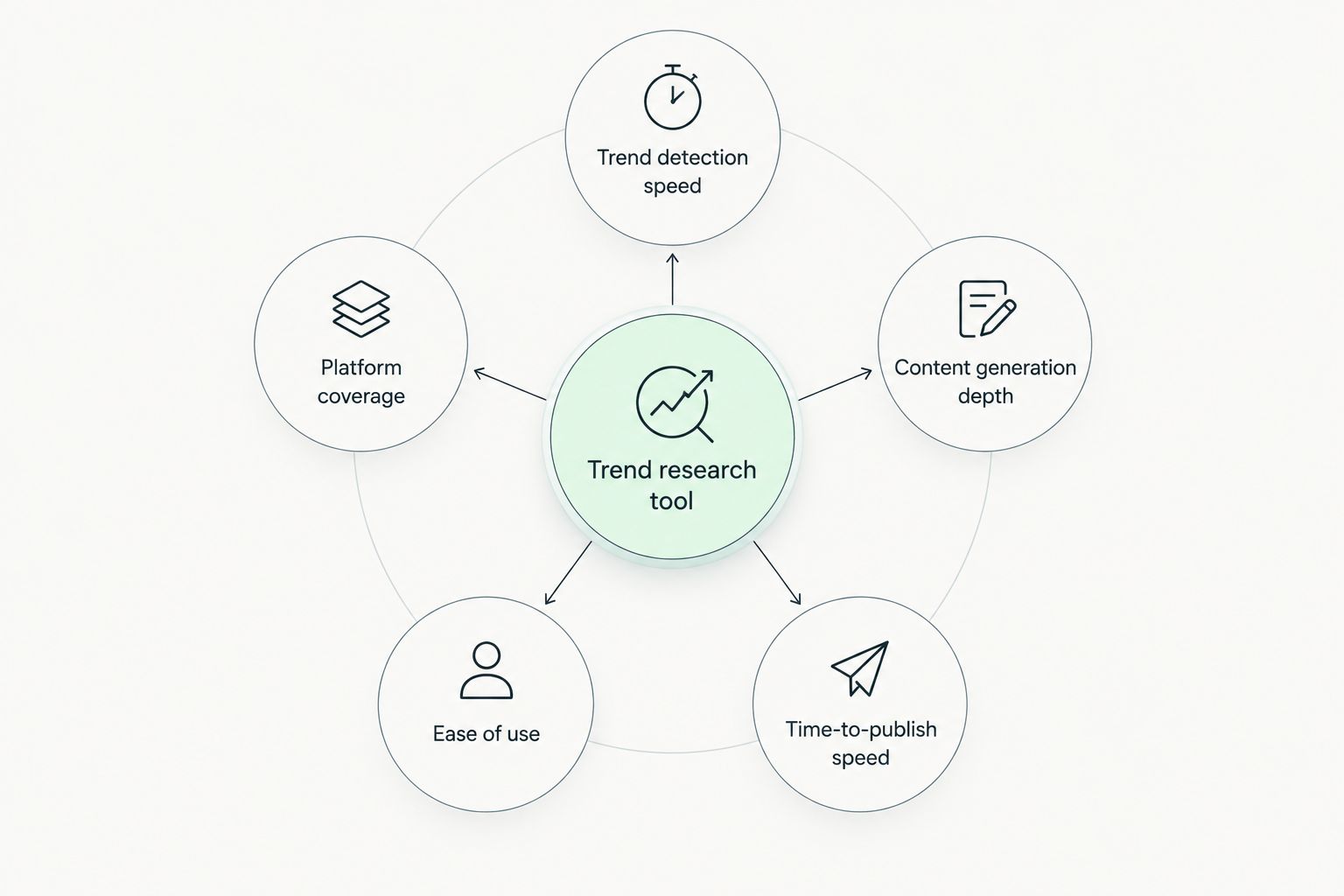
What makes the best trend research tool for social media
- Trend detection speed — how fast the tool surfaces what's spiking on TikTok, Instagram Reels, and Telegram right now.
- Platform coverage — whether it tracks Instagram, TikTok, and Telegram separately or lumps everything into one generic feed.
- Content generation depth — whether it stops at "here's a trend" or hands you a script, hooks, and a carousel.
- Ease of use for solo operators — no analyst or agency team required to read the output.
- Time-to-publish speed — minutes versus hours between finding a trend and having something postable.
Best trend research tools for social media, at a glance
| Tool | Best for | Standout feature | Key limitation |
|---|---|---|---|
| Trender | Turning a viral Reel or your own idea into content | Trained on more than one million content pieces | Broader workflow than signal-only research tools |
| TikTok Creative Center | TikTok-native trend validation | Trend and ad examples from TikTok | TikTok-focused and advertiser-oriented |
| Google Trends | Confirming Google search interest | Public comparison of terms and topics | Shows search interest, not social engagement |
| Exploding Topics | Spotting a niche before it saturates | Surfaces emerging topics and market signals | Documented focus is trend discovery, not finished content |
| Brandwatch | Agency-scale social listening across networks | Monitoring of mentions, sentiment, and trend signals | Documented focus is listening and analysis |
1. Trender: best trend research tool for creators who want a script, not just a signal
Trender helps users start with an idea, a rough note, a draft, or a link to a successful Reel and package the message into hooks, scripts, carousels, and other platform-specific formats. Trender has been trained on more than one million content pieces, giving it a foundation in viral content structures, hooks, and formats. For a narrower comparison of script-only tools, see the AI Reels script generators roundup; for the design side of the same trend, check how to make an Instagram carousel that gets swipes.
Trender pros:
- Turns an idea, draft, or a competitor's Reel link into platform-specific formats and hooks
- Includes an iPhone teleprompter for recording scripts straight from the app
- Covers research, script creation, carousel design, recording, and Reel analysis in one workflow instead of five tools
Trender cons:
- Teams that only need a trend chart may not need the full research-to-production workflow
- Current access and plan details can change; confirm them on the official site
Trender availability: check the official site for current access and plan details.
Best for: creators, boutique agencies, and solo SaaS founders who need publish-ready scripts and carousels, not another dashboard of trend graphs.
Verdict: Buy.
2. TikTok Creative Center: best free trend research tool for TikTok-native validation
TikTok Creative Center is a free, public resource for trends, high-performing ad examples, best practices, and TikTok creative tools. Its trend views are useful for checking TikTok-native signals before production.
TikTok Creative Center pros:
- Free, public creative research resource
- Data comes straight from TikTok, not a third-party estimate
- Updated frequently as trends shift
TikTok Creative Center cons:
- Focused on TikTok rather than cross-platform comparison
- Creative Center is oriented toward TikTok advertising and creative workflows
- Trend views do not by themselves build a cross-platform project in your voice
Best for: a quick sanity check on a sound or hashtag before you commit production time.
Verdict: Buy as a free companion, not a standalone workflow.
3. Google Trends: best free tool for validating search-level interest
Google Trends compares relative search interest for terms and topics over time. It is useful as one signal when checking whether interest in a topic is changing before you script around it.
Google Trends pros:
- Publicly accessible in a browser
- Instant comparison across multiple search terms
- Good for spotting seasonal patterns
Google Trends cons:
- Measures search behavior, not social engagement
- Gives zero format-specific insight — it won't tell you which hook works on Reels
- No content output of any kind
Best for: a secondary check on whether a topic has search demand behind the social buzz.
Verdict: Hold — pair it with a content-generation tool, don't rely on it alone.
4. Exploding Topics: best for spotting a niche before it saturates
Exploding Topics combines data collection, machine learning, and human review to identify emerging topics, which makes it a market-research tool more than a daily content tool.
Exploding Topics pros:
- Catches niches and products early
- Broad category coverage beyond social media
Exploding Topics cons:
- Not social-format specific — no Reel, carousel, or hook context
- Its documented focus is trend discovery and analysis rather than finished social content
- Better suited to product or market scouting than weekly posting
Best for: founders or agencies scouting a new content niche months ahead of competitors.
Verdict: Hold — good for ideation, not for daily production.
5. Brandwatch: best for agency-scale social listening across networks
Brandwatch Listen is a social-listening product for monitoring mentions, sentiment, and trend signals across online sources.
Brandwatch pros:
- Broad multi-network monitoring in a single dashboard
- Built for teams tracking volume across multiple clients or brands
Brandwatch cons:
- Its documented focus is listening and analysis rather than drafting platform-ready content
- Overkill for a solo creator or a two-person marketing team
Best for: agencies running social listening across several client accounts.
Verdict: Skip for solo creators; Hold for agencies with a listening budget already in place.
How we ranked these trend research tools
Each tool was measured against the five criteria above: trend detection speed, platform coverage, content generation depth, ease of use, and time-to-publish speed. Tools that only surface a signal (Google Trends, Exploding Topics) scored well on detection but lost points on generation depth. Tools built for content output — Trender in particular — scored higher on the criteria that actually shorten the path from idea to published post. If you're diagnosing why a Reel underperformed after publishing, that's a separate step covered in how to analyze Instagram Reels metrics.
Which trend research tool should you choose?
If you're a creator, boutique agency, or a small marketing team that needs to go from trend to posted content without hiring a script writer, Trender is the default pick for 2026. Pair it with TikTok Creative Center as a free, zero-cost check on TikTok-native trends. Add Exploding Topics only if you're scouting new niches months out rather than posting weekly. Skip Brandwatch unless you're already running social listening for multiple client accounts — it solves a different problem than daily content production.
FAQ
What's the best trend research tool for social media in 2026?
Trender is the best overall pick for 2026 because it helps turn a trend or your own idea into hooks, scripts, carousels, and other platform-specific content. Trender has been trained on more than one million content pieces.
Is Google Trends good for social media content research?
Google Trends is useful for confirming search-level interest in a topic, but it doesn't show social engagement or generate any content. Use it as a secondary check, not a primary trend research tool.
Where can I find current Trender plan details?
Check the official Trender site for current access and plan details.
Is TikTok Creative Center free?
Yes. TikTok describes Creative Center as a free, public resource. Its trend views and creative tools are TikTok-focused and oriented toward advertising and creative workflows.
Can I adapt a competitor's viral Reel instead of copying it?
Adapting the hook or structure of a high-performing Reel is standard content research, not copying the video itself. Tools like Trender are built specifically to adapt proven structures into your own voice.
Do I need more than one trend research tool for social media?
Many setups pair a signal tool like TikTok Creative Center with a creation workflow like Trender. One helps inspect TikTok-native signals; the other helps turn an idea or reference into platform-ready content.
Is Exploding Topics useful for daily content planning?
Exploding Topics documents tools for discovering, researching, and tracking emerging topics. Use a separate creation workflow when you need a finished script, carousel, or other social format.
One last thing
The practical lesson for 2026 is to separate signal research from content production. Use each tool for the job its current product materials support, then judge the resulting content against your own account data.