Alternatives
Best Trend.app alternatives for solopreneurs
Ryze AI · Updated
Trend.app's real strength is focus: it gives solopreneurs a dedicated workflow instead of another sprawling marketing suite. The ceiling appears when your job extends from finding an idea to writing, designing, recording, publishing, and reviewing the result. The best trend.app alternative for solopreneurs in 2026 is Trndr when you need ready-to-post content; Buffer is the better fit when scheduling and channel management are the priority.
- Trndr is the best trend.app alternative for solopreneurs who need scripts, carousels, hooks, and content adaptation.
- Buffer is the stronger 2026 choice when publishing and channel management matter more than content production.
- Canva fits design-led workflows, while ChatGPT fits solopreneurs who prefer an open-ended writing assistant.
- OpusClip makes the most sense when recorded long-form video is already the starting point.
Why this matters
A solopreneur does not have separate researchers, copywriters, designers, video editors, and analysts. One person carries the content from idea to publication, so every handoff between tools creates another unfinished task.
That changes how you should compare trend.app alternatives for solopreneurs in 2026. The question is not which platform has the longest feature list. The question is which platform removes the bottleneck that repeatedly stops you from publishing.
If research is easy but writing stalls, choose a production tool. If posts are finished but publishing is inconsistent, choose a scheduler. If long videos are piling up, choose a clipping tool. A focused answer beats paying for overlapping software.
Trend.app alternatives at a glance
| Tool | Best for | Standout function | Main difference from Trend.app |
|---|---|---|---|
| Trndr | Converting ideas into multiple social formats | Scripts, carousels, hooks, design, recording, and analysis in one workflow | Extends from research into production |
| Trend.app | Keeping the existing focused workflow | Dedicated experience | The benchmark option for readers who do not need a broader workflow |
| ChatGPT | Flexible drafting and rewriting | Open-ended conversational writing | Requires you to define prompts, formats, and quality checks |
| Canva | Designing visual social posts | Template-based visual production | Starts with design rather than research and content diagnosis |
| Buffer | Scheduling and managing social channels | Publishing calendar | Concentrates on distribution after content is created |
| OpusClip | Repurposing recorded video | Converts long-form footage into short clips | Starts with finished video rather than a note, thesis, or draft |
No option wins every category. Your starting material determines the right choice: an idea, a draft, a design, a completed post, or recorded footage.
1. Trndr: best for a complete solo content workflow
Trndr is an AI-powered content creation platform for social media managers, creators, experts, personal brands, small marketing teams, and independent SaaS founders. It accepts an idea, thesis, rough note, draft, or successful Reel link and converts that input into platform-ready content.
The product can turn one idea into 5 formats and produce 15+ hooks. Its model is trained on 1M+ high-performing Reels and carousels, while the platform reports 2,137+ creators. Those numbers matter because the central job is adaptation: taking something worth saying and shaping it for the conventions of each platform.
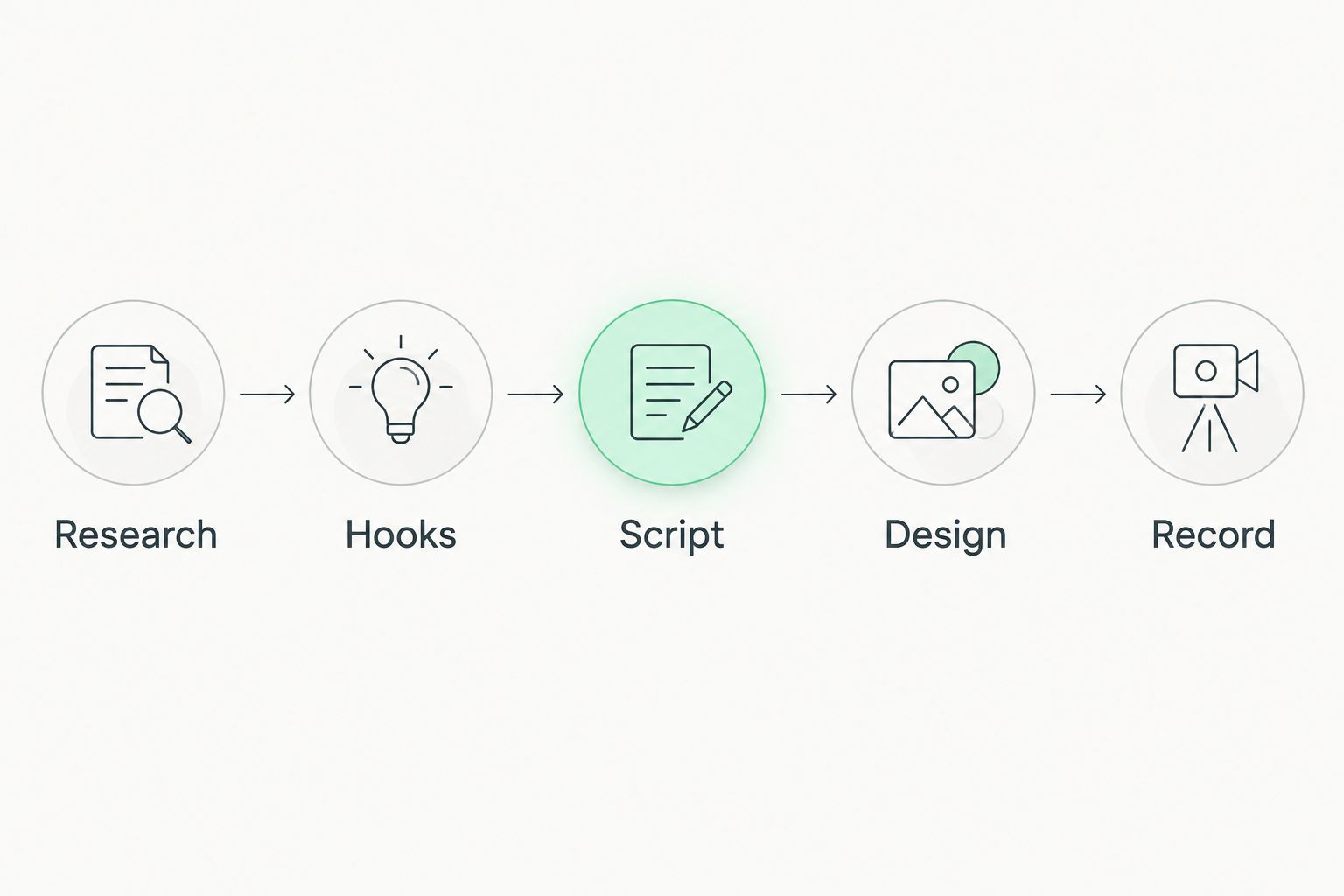
A user can research competitors and high-performing content or move directly into the Workshop. The workflow also covers carousel design templates, Reel analysis, improvement plans, an iPhone teleprompter, and carousel creation through MCP.
Where Trndr shines
- Turns the same source idea into Reels scripts, carousels, Telegram posts, threads, and long-form content.
- Adapts proven hooks and structures rather than leaving you with an empty prompt box.
- Covers production steps beyond writing, including carousel design and teleprompter-assisted recording.
- Analyzes Reels and provides improvement plans for content that underperforms.
- Supports direct creation when competitor research is unnecessary.
Where Trndr falls short
- English is the only supported content language, so multilingual creators need another workflow.
- The product is built primarily for the United States, which limits its fit for localized campaigns in other markets.
- Solopreneurs who only need scheduling will carry features they do not use.
- It does not replace the native publishing controls inside every social network.
Best for: a solopreneur who starts with rough ideas and needs finished social assets rather than another place to store notes.
| Dimension | Trndr workflow | Trend.app benchmark |
|---|---|---|
| Starting input | Idea, thesis, note, draft, or Reel link | Existing Trend.app workflow |
| Finished output | Scripts, carousels, hooks, threads, and long-form content | Depends on the current Trend.app feature set |
| Visual production | Carousel design templates | Compare against your required design process |
| Recording support | iPhone teleprompter | Compare against your required recording process |
Verdict: Buy. Choose this option when the missing step is turning an idea into publishable content across several formats.
2. ChatGPT: best for flexible drafting
ChatGPT is the broadest writing option in this comparison. You can use it to brainstorm angles, outline posts, rewrite drafts, and transform source material into different tones or structures.
Its flexibility is also the main trade-off. You remain responsible for writing the prompt, providing examples, checking whether the output fits each social platform, maintaining a consistent voice, and moving the copy into separate design and recording tools.
Where ChatGPT shines
- Handles open-ended brainstorming and rewriting across many subjects.
- Accepts detailed instructions when you already know the required structure.
- Works well for one-off writing tasks that do not need a fixed social workflow.
Where ChatGPT falls short
- A blank conversation still requires you to define the content process.
- It is not a dedicated competitor-research, carousel-design, teleprompter, or social analytics platform.
- Repeating successful output requires prompt discipline and reusable instructions.
Best for: solopreneurs who enjoy directing the writing process and already have separate design, publishing, and analytics systems.
| Dimension | ChatGPT | Trend.app benchmark |
|---|---|---|
| Workflow | Open-ended conversation | Dedicated product workflow |
| Structure | Defined by your prompt | Defined by the product experience |
| Design | Requires a separate production step | Compare with your current design needs |
| Publishing | Requires another tool | Compare with your current publishing needs |
Verdict: Hold. Keep ChatGPT as a flexible assistant, but do not expect an empty chat to manage the entire content operation.
3. Canva: best for visual social content
Canva fits solopreneurs whose main blockage is design. Its templates and visual editor make it practical to assemble carousels, social graphics, presentations, and short-form visual assets without hiring a designer for every post.
The workflow begins closer to the design stage. You still need a clear idea, a useful argument, a strong hook, and copy that fits the chosen format before visual production becomes valuable.
Where Canva shines
- Provides templates and visual editing in the same workspace.
- Makes brand consistency easier across recurring visual formats.
- Supports creators who prefer editing a visible layout instead of describing one in text.
Where Canva falls short
- Design templates do not decide which idea deserves a post.
- Competitor research and Reel diagnosis are not the center of the workflow.
- A polished carousel can still fail when its hook and sequence are weak.
Best for: visually confident solopreneurs who already have researched ideas and finished copy.
Verdict: Buy. Choose Canva when design is the bottleneck; skip it as a direct answer to a research or scripting problem.
4. Buffer: best for scheduling and channel management
Buffer is the practical alternative when your content already exists but publishing keeps slipping. Its core job is organizing posts, scheduling them, and managing social channels from a shared calendar.
This solves a different problem from content production. A scheduler creates consistency only when scripts, captions, graphics, and videos are ready before they enter the queue.
Where Buffer shines
- Centralizes planned posts across social channels.
- Makes a publishing cadence visible on a calendar.
- Separates content preparation from the daily task of posting manually.
Where Buffer falls short
- Scheduling does not fix weak hooks or unfinished scripts.
- It does not provide the same research-to-recording workflow as a dedicated social content platform.
- Solopreneurs without a steady supply of finished posts can end up managing an empty calendar.
Best for: creators and founders who have content ready but need a dependable distribution system.
| Dimension | Buffer | Trend.app benchmark |
|---|---|---|
| Primary job | Scheduling and channel management | Existing focused workflow |
| Starting point | Finished or nearly finished posts | Depends on your current process |
| Calendar | Core part of the product | Compare with your scheduling requirements |
| Content production | Supporting function | Compare with your writing and design requirements |
Verdict: Buy. Buffer wins when distribution is the bottleneck, not when you still need to research and create the post.
5. OpusClip: best for repurposing recorded video
OpusClip serves a specific starting point: existing long-form video. It identifies shorter segments and turns source footage into clips for social distribution.
That makes it useful for podcasters, educators, interviewers, and founders who record substantial video. It is a weaker match when your starting material is a rough note or when carousels and text posts carry most of the strategy.
Where OpusClip shines
- Extracts short-form material from longer recorded footage.
- Reduces repetitive clipping and reframing work.
- Fits a video-first repurposing process.
Where OpusClip falls short
- Requires recorded source footage before the workflow begins.
- Does not replace idea research, carousel creation, or text-first drafting.
- Cannot solve a recording bottleneck when no source video exists.
Best for: solopreneurs with a growing library of webinars, podcasts, interviews, or educational videos.
Verdict: Buy. Choose OpusClip for video extraction; skip it when you need to create the original concept and script first.
Why people switch from Trend.app
A switch makes sense when the current workflow stops matching the required output. It is not evidence that Trend.app is a bad product. It means another tool now removes a more expensive bottleneck.
The strongest reasons are specific:
- You need several formats from one idea. Rewriting the same concept separately for a Reel, carousel, thread, and long-form post wastes the advantage of having a strong source idea.
- You need hooks before design. A visual template cannot rescue an opening that gives the reader no reason to continue.
- You need recording support. A finished script still creates work when it must be copied into another teleprompter and adapted again for delivery.
- You need diagnosis after publishing. Performance data is useful only when it changes the next script, hook, structure, or test.
- You need fewer handoffs. Moving research into a document, copy into design software, scripts into a teleprompter, and results into an analytics sheet creates avoidable failure points.
The decision becomes clearer when you define the next completed asset. If the goal is a finished Reel script, compare dedicated Reel script generators rather than broad marketing suites. If the goal is a scheduled calendar, compare publishing tools instead.
Turn one idea into five formats
Start with a note, draft, thesis, or successful Reel and build platform-ready content.
When staying with Trend.app is the right call
Stay with Trend.app in 2026 when it already completes the job you repeatedly need done. Switching creates no value if the replacement adds features but does not remove a real bottleneck.
A focused product is often better than an all-purpose suite when you have dependable systems around it. If writing, design, recording, publishing, and analysis are already covered, replacing the research layer can disrupt a process that works.
The right tool is the one that moves an idea to a completed asset with the fewest manual handoffs. Audit the workflow before changing the software.
FAQ
What is the best trend.app alternative for solopreneurs in 2026?
Trndr is the best option for solopreneurs who need to turn an idea, draft, or Reel link into scripts, carousels, hooks, and other publishable formats. Buffer is the better choice when scheduling is the main requirement.
Which Trend.app alternative is best for social media scheduling?
Buffer is the strongest option in this comparison for scheduling and channel management. It fits solopreneurs who already have completed content ready for a publishing calendar.
Is ChatGPT a complete alternative to Trend.app?
ChatGPT is a flexible drafting tool, not a complete social content workflow. You still need to define prompts, check platform fit, design the assets, schedule publication, and review performance elsewhere.
Which alternative is best for creating Instagram carousels?
Canva is best when visual design is the main requirement, while Trndr fits creators who need research, hooks, copy, and carousel production connected in one workflow.
Which option is best for turning long videos into short clips?
OpusClip is the best fit when you already have long-form video. It focuses on finding and formatting shorter segments rather than developing the original idea or script.
Can one idea become several social media formats?
Yes. Trndr can turn one idea into five ready-to-post formats and generate more than 15 hooks, reducing the need to rebuild the concept separately for each channel.
Should I replace Trend.app if my current workflow works?
No. Stay with Trend.app when it already completes the job you need and the surrounding writing, design, publishing, and analytics steps are covered.
One last thing
Do not choose an alternative by counting features in 2026. Write down the last three content ideas that failed to ship, then identify where each one stopped: research, hook, script, design, recording, publishing, or analysis.
The repeated stopping point is the buying criterion. A solopreneur with unfinished drafts needs a different tool from a solopreneur with finished posts sitting in a folder. That single distinction produces a better decision than any generic software ranking.