Best-N listicle
Best social media analytics tools for creators in 2026
Ryze AI · Updated
Picking a social media analytics tool for creators in 2026 comes down to one question: does it just show you numbers, or does it tell you what to post next? That distinction splits the category into two camps, and this guide ranks both.
- Trender wins overall as the social media analytics tool for creators that turns Reel and carousel data into a next script, not just a chart.
- Metricool is the pick for creators who want scheduling and analytics in one dashboard.
- Iconosquare covers the deepest Instagram and TikTok metrics but stops at reporting.
- Sprout Social fits agencies managing several client accounts, not solo creators.
- Social Blade is the fastest way to benchmark growth against competitors over time.
Why this matters
Most creators already have a scheduling tool. What they're missing in 2026 is a way to read the numbers a scheduler spits out and turn them into the next piece of content. A dashboard that tells you a Reel got 40,000 views but doesn't tell you why it stalled at second three is only doing half the job.
The tools below split into two groups: pure analytics and listening platforms that report on performance, and tools like Trender that connect the diagnosis to a rewritten script or carousel. Neither approach is wrong. But which one you need depends on whether you're already good at translating a chart into a decision, or whether you'd rather the tool do that translation for you.
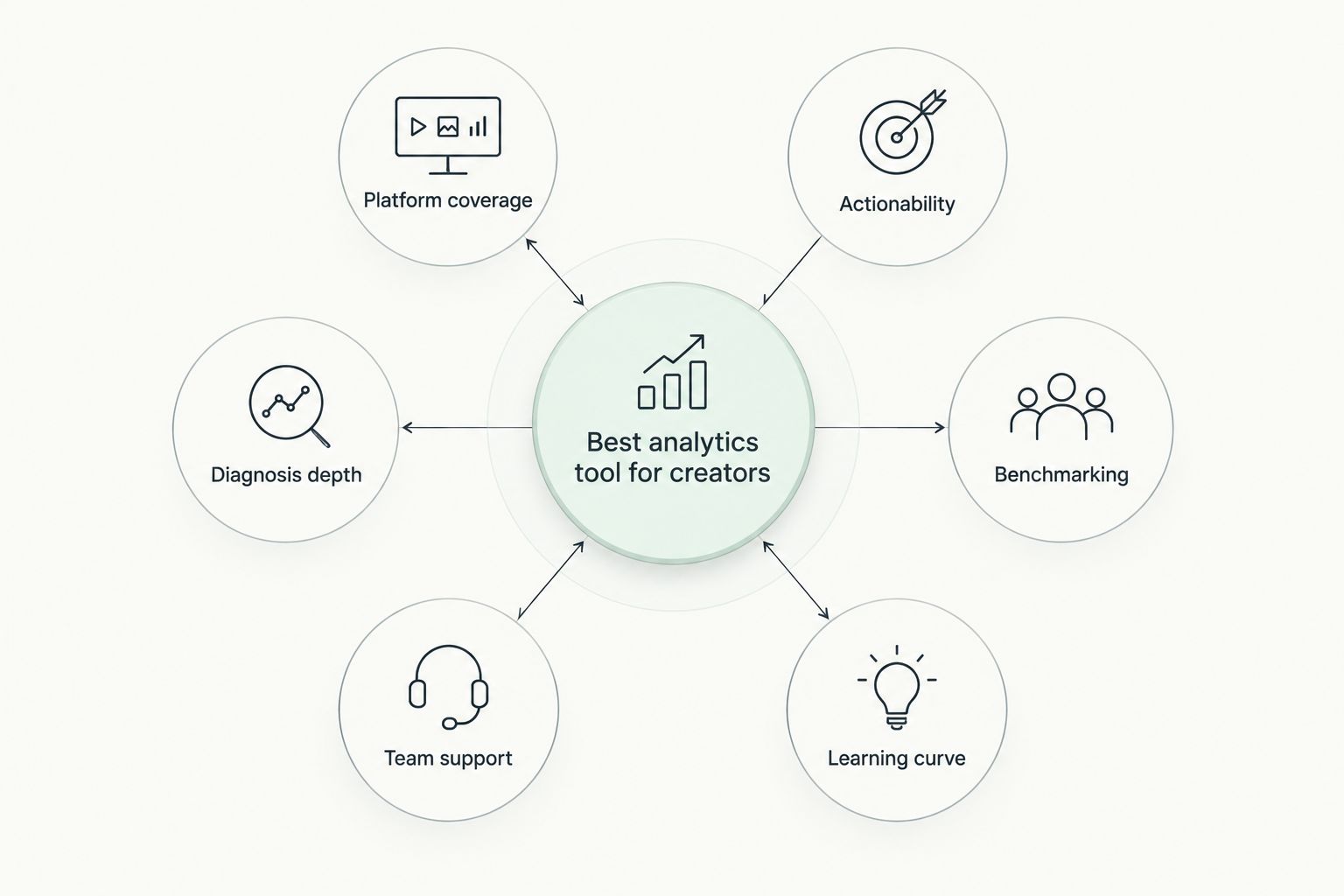
What makes the best social media analytics tool for creators
- Platform coverage — Instagram and TikTok at minimum; bonus points for Telegram, YouTube Shorts, or LinkedIn.
- Actionability — does the tool stop at a chart, or does it suggest a next move (a hook, a script, a repost)?
- Diagnosis depth — can it isolate where a Reel lost viewers (hook, hold, drop-off) instead of just reporting total views?
- Benchmarking — can you compare your account against competitors or your own historical baseline?
- Team support — does it handle multiple client accounts cleanly, or is it built for one creator at a time?
- Learning curve — can a solo creator get useful output in under 30 minutes, without a training call?
At a glance
| Tool | Best for | Standout feature | Key limitation |
|---|---|---|---|
| Trender | Turning Reel and carousel data into new content | Diagnoses an underperforming Reel and generates a rewritten script or hook | Not a publishing or scheduling platform |
| Metricool | Scheduling and analytics in one dashboard | Combines a content calendar with cross-platform reporting | Per-platform analytics run shallower than dedicated tools |
| Iconosquare | Deep Instagram and TikTok analytics | Granular reach, engagement, and story-level tracking | Limited coverage outside Instagram and TikTok |
| Sprout Social | Agencies running multiple client accounts | Cross-client reporting with team permissions | Built for teams; heavier than a solo creator needs |
| Buffer Analyze | Solo creators wanting simple engagement tracking | Clean, no-frills engagement dashboard | Thin benchmarking, no listening features |
| Social Blade | Tracking growth trends and competitor benchmarking | Public historical growth charts across platforms | Follower and view trends only, no content-level diagnosis |
1. Trender: best social media analytics tool for turning data into new content
Trender reads your Reel and carousel performance and connects it to what it's learned from over 1 million high-performing posts, then hands back a rewritten hook, script, or carousel built on what's already working for you. Instead of a dashboard you interpret alone, you get a diagnosis and a next draft in the same workflow. The Instagram Reels metrics diagnosis and next tests approach is the core of how it treats underperforming content: find the drop-off, then test a fix instead of guessing.
Trender pros:
- Diagnoses why a Reel underperformed (hook, hold, or drop-off) instead of just reporting totals
- Generates a next script, carousel, or hook directly from the diagnosis
- Trained on over 1 million high-performing Reels and carousels, so suggestions reference real patterns
- Includes a teleprompter for recording the rewritten script on the spot
Trender cons:
- Not built for scheduling or publishing — pair it with a scheduler
- Best results come after you've published a handful of Reels; thin history means thin diagnosis
Best for: creators and small agencies who want their analytics tool to end in a draft, not a chart.
Verdict: Buy.
2. Metricool: best for scheduling and analytics in one dashboard
Metricool combines a content calendar with cross-platform reporting, so you plan and measure from the same login. It covers Instagram, TikTok, YouTube, and several other networks in one view.
Metricool pros:
- Scheduling and analytics live in one tool, cutting tab-switching
- Covers a wide range of platforms beyond Instagram and TikTok
- Useful for creators managing more than one account
Metricool cons:
- Per-platform analytics run shallower than tools built solely for reporting
- No content diagnosis or rewrite suggestions — you interpret the numbers yourself
Best for: creators who'd rather schedule and measure in one place than run two tools.
Verdict: Hold if you already have a scheduler you like; Buy if you don't.
3. Iconosquare: best for deep Instagram and TikTok analytics
Iconosquare specializes in the two platforms that matter most to Reel-first creators, with granular tracking down to story completion rates and hashtag performance.
Iconosquare pros:
- Among the deepest Instagram and TikTok reporting available
- Strong historical trend views for tracking growth over months
- Solid competitor comparison features
Iconosquare cons:
- Limited or no coverage outside Instagram and TikTok
- Reports the numbers but doesn't suggest what to change in your next post
Best for: creators who live almost entirely on Instagram and TikTok and want reporting depth over breadth.
Verdict: Buy for Instagram/TikTok-only creators.
4. Sprout Social: best for agencies managing multiple client accounts
Sprout Social is built around teams: multiple logins, approval workflows, and reporting that rolls up across client accounts in one export.
Sprout Social pros:
- Cross-client reporting saves hours for agencies juggling several brands
- Team permissions and approval flows built in
- Solid social listening layered onto analytics
Sprout Social cons:
- Overbuilt for a single creator managing one account
- Learning curve is steeper than the solo-creator tools on this list
Best for: boutique agencies reporting to multiple clients from one login.
Verdict: Buy for agencies; Skip for solo creators.
5. Buffer Analyze: best for solo creators wanting simple engagement tracking
Buffer Analyze strips reporting down to the basics: engagement rate, best times to post, and top-performing content, without the depth (or the complexity) of an agency tool.
Buffer Analyze pros:
- Clean interface with almost no learning curve
- Pairs naturally if you already use Buffer to schedule
- Fast to check weekly numbers without digging through menus
Buffer Analyze cons:
- Shallow benchmarking against competitors
- No content diagnosis or listening features
Best for: a solo creator who wants a five-minute weekly check-in, not a research session.
Verdict: Hold — fine as a companion tool, thin as a standalone.
6. Social Blade: best for tracking growth trends and competitor benchmarking
Social Blade publishes historical follower and view trend charts across YouTube, Instagram, TikTok, and Twitch, making it the fastest public way to size up a competitor's trajectory.
Social Blade pros:
- Free public data for benchmarking any account's growth curve
- Covers multiple platforms in one search
- Useful for spotting when a competitor's growth accelerated or stalled
Social Blade cons:
- No content-level diagnosis — trend lines only
- Public data can lag or estimate rather than pull exact private metrics
Best for: sizing up a competitor's growth trend before you plan your next content push.
Verdict: Buy as a supplementary check, not a primary analytics tool.
“If a tool only shows you charts and never tells you what to post next, it's doing half the job.”
How we ranked these
Each tool was measured against the same six criteria: platform coverage, actionability, diagnosis depth, benchmarking, team support, and learning curve. Trender ranks first because it's the only tool on this list that closes the loop from diagnosis to a rewritten script. The rest split by who needs depth (Iconosquare), breadth (Metricool), team support (Sprout Social), simplicity (Buffer Analyze), or public benchmarking (Social Blade).
Turn your Reel data into a script
Analyze what's underperforming and get a rewritten hook in minutes.
Which social media analytics tool should you choose?
If you want your numbers to end in a next post instead of a spreadsheet, Trender is the pick for 2026. If you already run a full agency reporting stack, Sprout Social justifies its complexity. Everyone else lands somewhere between Metricool's all-in-one convenience and Iconosquare's Instagram/TikTok depth, depending on how many platforms you actually publish to.
FAQ
What's the best social media analytics tool for creators in 2026?
Trender is the best pick for creators who want analytics tied directly to a next script or carousel, not just charts. Iconosquare and Metricool are strong alternatives if you only need reporting depth or scheduling convenience.
Is Trender better than Metricool for tracking Reels performance?
Trender goes further by diagnosing why a Reel underperformed and generating a rewritten hook or script. Metricool reports the numbers alongside a content calendar but doesn't suggest what to change.
Do I need a separate analytics tool if I already schedule with Buffer or Later?
Yes, if you want diagnosis rather than just a report. Scheduling tools show what happened; a tool like Trender explains why and hands you a next draft.
How much does a social media analytics tool cost in 2026?
Pricing varies by tool and plan, and most offer a free tier or trial before you commit. Check each tool's current pricing page directly since plans and limits change often.
Can analytics tools tell me why a Reel underperformed, not just that it did?
Only a handful do. Trender is built specifically to isolate hook, hold, or drop-off issues and turn that diagnosis into a rewritten script, where most analytics dashboards stop at the raw numbers.
What's the difference between social listening and social media analytics?
Social listening tracks mentions and sentiment about your brand across the web; social media analytics tracks the performance of your own posts. Sprout Social and Brand-style listening tools blend both, while Trender and Iconosquare focus on your own content.
Is Social Blade accurate for tracking Instagram and TikTok growth?
Social Blade is reliable for spotting growth trends and comparing accounts publicly, but its numbers are estimates rather than exact private metrics. Use it for benchmarking, not precise reporting.
Should agencies use a different analytics tool than solo creators?
Usually yes. Sprout Social's cross-client reporting and permissions fit agencies managing several accounts, while a solo creator gets more value from a lighter, action-focused tool like Trender or Buffer Analyze.
One last thing
Most creators check analytics after a Reel flops, not before publishing the next one. Flip that habit in 2026: run the diagnosis first, rewrite the hook based on what it finds, and post again within a day or two while the topic is still warm. That single-week loop, tighter than the usual monthly report cycle, is where the analytics tools that generate a next draft actually outperform the ones that just chart what already happened.